


Resources for Existing Customers
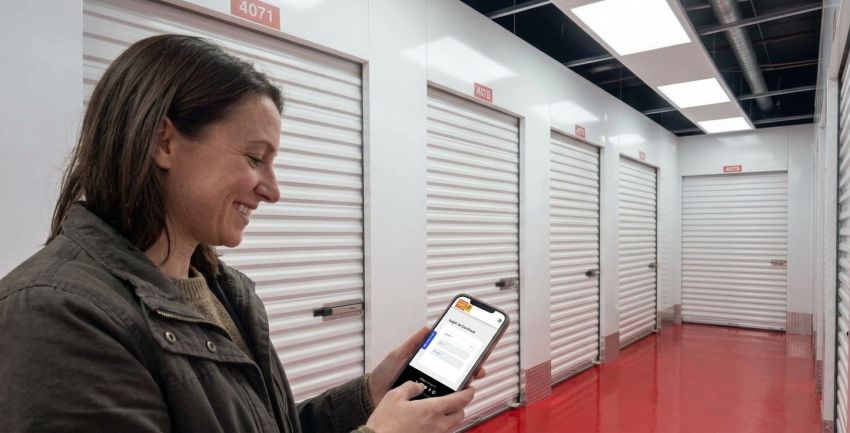
Manage your StoragePRO unit anytime from your online account. Log in to pay your bill, turn on autopay and find your rental documents in minutes. Plus, see how current tenants save with our military and referral discounts.
What you can do in your StoragePRO online account
Your StoragePRO account puts everything about your unit in one place:
- Pay your bill in a minute, from your phone or computer.
- Turn on autopay so your rent is paid on time every month.
- Check your balance and see what's due next.
- Find your documents in the Document Center, including your rental agreement.
- Update your contact info, such as your address, phone and email, in Account Settings.
- Link more than one space if you rent several units, so you can manage them all from one login.
Set up your StoragePRO online account in 3 steps
1. Go to the login page and choose your state, city and facility.
2. Select Create an account and enter the email address on your rental agreement.
3. Link your unit, then pay your bill or turn on autopay.
Trouble logging in? Call your facility manager or (800) 393-8373 and we'll help you get set up.
Get the My StoragePRO app
Manage your unit from your phone with the free My StoragePRO app for iPhone and Android. With the app, you can:
- Pay rent anytime and check your autopay status
- Get your gate code instantly
- See your balance, next payment and payment history
- View your lease details, including rent, lease terms and move-in date
- Update your profile and contact your facility directly
- Find StoragePRO locations with hours, unit sizes and prices
Getting started is easy: download the app, then sign in with the email address on your lease. If your email isn't on file, your facility manager can add it.
Download on the App Store · Get it on Google Play
Pay automatically with autopay
To pay automatically, log in, open your account and turn on autopay with a card or bank account. Your payment goes through on your due date each month, so you never have to remember it, and you can change or turn it off whenever you like.
Ways to save
Military discount. StoragePRO offers a 10% discount on monthly storage rent for active-duty military members and veterans, as long as the account stays in good standing. Current tenants: ask your facility manager to add it to your account. The discount applies to future bills and can't be applied retroactively. Learn about military storage
Refer a friend. Know someone who needs storage? When they rent with us, you get $50 off your next bill. Just have them mention your name and unit at move-in.
Need a different kind or size storage space?
If your needs change, you can switch units or add one at any of our locations:
- Climate-controlled storage for electronics, documents, photos and furniture
- RV, boat and car storage
- Drive-up storage for easy loading
- Business storage for inventory, equipment and records
- Wine storage
- Moving trucks, with a free move-in truck at select locations
Not sure what size you need? Use the size guide or see all storage types.
Helpful guides from our blog
- Five Clever Hacks to Maximize Vertical Space in Your Small Storage Unit
- How to Pack a TV for Moving: Tips to Prevent Damage
- How to Pack Your Kitchen Items for Storage Without Damage
- How to Move and Store a Mattress Without Damaging It
- How to Store a Couch in a Storage Unit
- How to Efficiently Pack a Moving Truck
- How Self Storage Can Help When Downsizing Your Home
- Moving with Kids: A Stress-Free Guide for Families in Transition
- Newly Married and Running Out of Space? Why Self Storage May Be Smarter Than Moving
- Business Storage 101: How Small Businesses Use Self Storage for Inventory, Equipment, and Records
- How Self Storage Can Help You Create a Home Office
- Veteran Moving and Downsizing: How Self-Storage Can Help
- College Students & Seasonal Storage: Keep Your Belongings Safe Over the Summer
More storage tips · Visit the blog
Moving out or making changes
- Moving out: give your facility at least 7 days' written notice before you vacate.
- New address or phone number: update it in Account Settings. Prefer paper? Use the change of address form.
- Questions about your unit or gate access: contact your facility manager or our customer service team.
Frequently asked questions
Does StoragePRO have a mobile app? Yes. The free My StoragePRO app for iPhone and Android lets you pay rent, get your gate code, view your lease and payment history, and contact your facility. Sign in with the email address on your lease.
How do I find my gate code? Your gate code is in the My StoragePRO app. You can also get it from your facility manager.
How do I pay my StoragePRO bill online? Log in at storagepro.com/login, choose your facility and select Pay Bill. You can pay by card any time of day.
Can I set up automatic payments? Yes. Log in to your account and turn on autopay.
How do I create an online account? On the login page, select Create an account and use the email address on your rental agreement. Your facility manager can help if your email isn't on file.
Does StoragePRO offer a military discount? Yes. Active-duty military members and veterans get 10% off monthly rent while the account is in good standing. Ask your facility manager to add it; it applies to future bills only.
How much notice do I need to give before moving out? StoragePRO requires 7 days' written notice before you vacate your unit.
When can I get to my unit? Gate access is typically available every day. Office hours vary by location, so check your facility's page.
More Frequently Asked Questions.
Still need help?
Call your facility manager, use our contact us form, or call (800) 393-8373.


